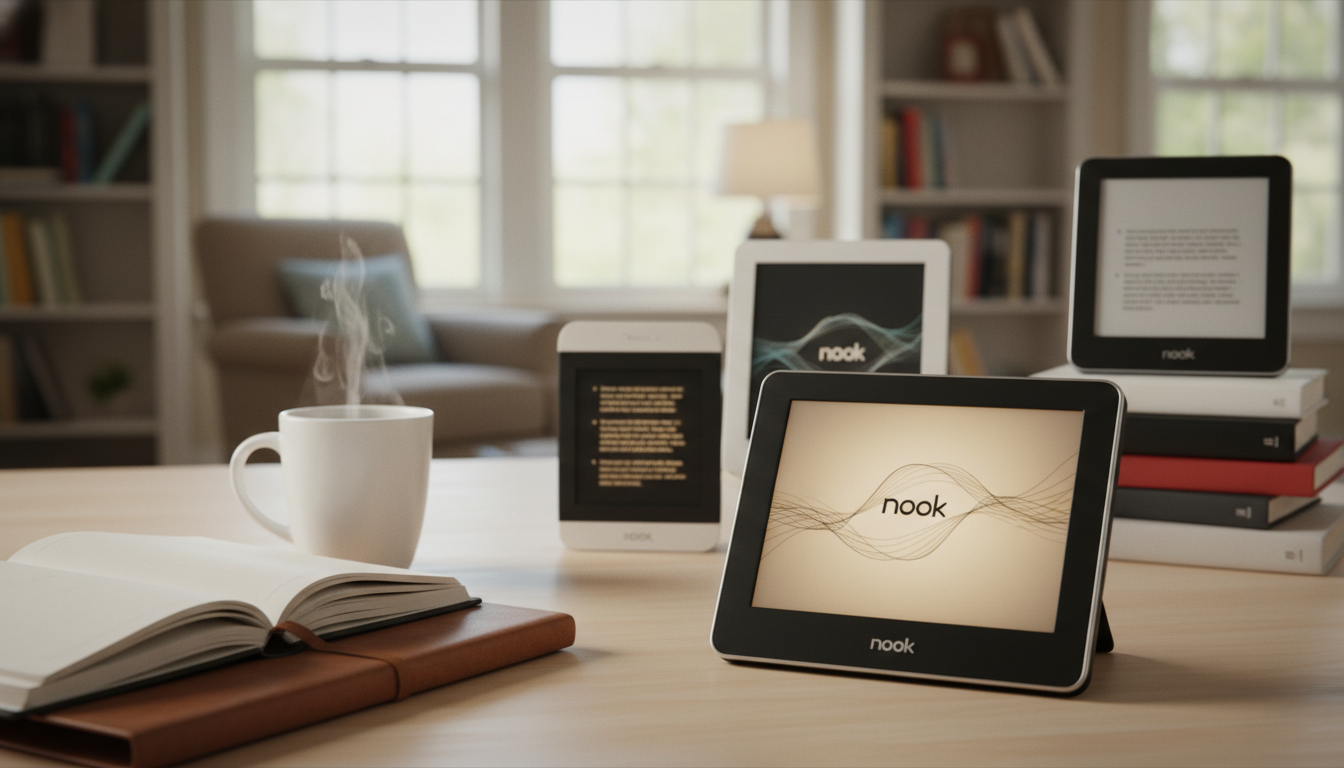
The Definitive Guide to the Barnes and Noble E-Reader Ecosystem
A Barnes and Noble e reader, universally recognized under the brand name Nook, is a specialized digital reading device engineered to replicate the experience of reading physical paper. Featuring advanced anti-glare E-Ink technology, integrated physical page-turn buttons, and direct wireless access to a massive library of digital literature, the Nook remains a formidable pillar in the digital reading landscape. For voracious readers seeking an alternative to the Amazon Kindle ecosystem, Barnes & Noble provides a robust, user-centric platform optimized for EPUB formats, library lending, and typographic fidelity. In this comprehensive analysis, we will explore the intricate hardware features, dissect the current lineup of Nook devices, and provide expert insights to help you determine which e-reader aligns perfectly with your literary lifestyle.
The Evolution of Digital Reading at Barnes & Noble
To truly understand the value proposition of a modern Barnes and Noble e-reader, one must look at the brand’s historical trajectory. When Barnes & Noble first entered the digital reading hardware market, the goal was clear: bridge the gap between their massive brick-and-mortar bookstore presence and the emerging digital frontier. Unlike tech companies that built bookstores to sell hardware, Barnes & Noble built hardware to complement their legacy as America’s premier bookseller.
Over the years, the Nook evolution has seen various iterations, from early LCD color tablets to highly specialized, monochrome E-Ink devices. Today, the strategy has returned to its purest form. Barnes & Noble focuses heavily on dedicated reading devices that eliminate digital distractions. There are no social media notifications, no pop-up emails, and no glaring backlights to disrupt your circadian rhythm. Instead, the modern Nook ecosystem is built on the foundation of E-Ink Carta HD displays, customizable ambient lighting, and superior tactile ergonomics.
Core Features That Define the Modern Nook Experience
What separates a Barnes and Noble e-reader from a generic tablet or a competing brand’s device? The answer lies in a combination of thoughtful hardware engineering and an open-format software philosophy. Here are the defining characteristics of the modern Nook ecosystem.
E-Ink Carta HD Displays and GlowLight Technology
Unlike traditional LED or OLED screens found on smartphones and tablets, which project light directly into your eyes, Nook devices utilize E-Ink technology. This electronic paper display uses microscopic microcapsules filled with black and white pigments that physically arrange themselves to form text. The result is a screen that looks identical to printed paper, completely eliminating glare even in direct sunlight.
Furthermore, Barnes & Noble’s proprietary GlowLight illumination system uses front-lit technology. LEDs are positioned at the edges of the screen, projecting light evenly across the display rather than into the reader’s eyes. The latest Nook devices feature adjustable color temperatures, allowing users to transition from a crisp, cool white light during the day to a warm, amber glow at night, significantly reducing blue light exposure and preventing eye strain.
The Return of Physical Page-Turn Buttons
In an era where almost all consumer electronics are entirely touch-based, Barnes & Noble has steadfastly retained physical page-turn buttons on their premium e-readers. For dedicated readers, this is a monumental advantage. Touchscreens require you to move your hand and tap or swipe the screen, which can be cumbersome when reading one-handed or while lying down. The tactile feedback of a physical button allows for rapid, effortless page turns without breaking your reading immersion. The buttons on modern Nooks are satisfyingly clicky and strategically placed on both sides of the device to accommodate both left- and right-handed users.
Native EPUB Support and Ecosystem Flexibility
One of the most significant advantages of choosing a Barnes and Noble e-reader is its native support for the EPUB file format. EPUB is the universally accepted, open-standard format for e-books worldwide. While competitors like Amazon utilize proprietary formats that lock you into their ecosystem, the Nook’s reliance on EPUB means you have far more freedom. You can easily purchase books from independent publishers, download free classics from Project Gutenberg, or borrow digital books from your local public library using software like Adobe Digital Editions.
Comprehensive Review: The Best Nook Devices of 2024
Barnes & Noble currently offers a tiered lineup of e-readers designed to cater to different budgets, reading habits, and portability requirements. Let us conduct a deep dive into the current flagship models to help you make an informed purchasing decision.
1. Nook GlowLight 4 Plus: The Premium Powerhouse
The Nook GlowLight 4 Plus represents the pinnacle of Barnes & Noble’s hardware engineering. Designed for the uncompromising bibliophile, this device boasts a massive 7.8-inch E-Ink display, providing significantly more screen real estate than standard e-readers. This larger canvas is ideal for readers who prefer larger font sizes, as well as for consuming manga, graphic novels, and complex PDF documents.
- Audiobook Integration: The most groundbreaking feature of the GlowLight 4 Plus is its support for Barnes & Noble audiobooks. Users can connect wireless earbuds via Bluetooth or use the built-in 3.5mm headphone jack—a rarity in modern devices—to seamlessly switch between reading and listening.
- Waterproof Durability: Boasting an IPx8 water resistance rating, the GlowLight 4 Plus can survive submersion in up to two meters of fresh water for 60 minutes. This makes it the ultimate companion for reading in the bathtub, by the pool, or at the beach without fear of hardware failure.
- Flush-Front Design: The screen is completely flush with the bezels, creating a sleek, modern aesthetic that is highly resistant to dust and debris accumulation.
- Storage Capacity: With 32GB of internal storage, this device can hold thousands of e-books and dozens of full-length audiobooks simultaneously.
2. Nook GlowLight 4: The Compact Daily Reader
For those who prioritize portability without sacrificing premium features, the standard Nook GlowLight 4 is the optimal choice. It features a classic 6-inch display with a pristine 300 pixels-per-inch (PPI) resolution, ensuring that text is razor-sharp and indistinguishable from high-quality print.
- Ergonomic Soft-Touch Finish: The device is coated in a premium soft-touch material that provides an excellent grip and feels incredibly comfortable during marathon reading sessions.
- Ample Storage: Like its larger sibling, the GlowLight 4 comes with 32GB of storage, which is virtually impossible to fill with standard text-based e-books.
- USB-C Charging: Barnes & Noble has modernized the charging experience by implementing a USB-C port, allowing for faster charging and cable consolidation with your other modern tech devices.
3. Nook GlowLight 4e: The Entry-Level Essential
Designed for budget-conscious consumers, students, or those purchasing their first e-reader, the Nook GlowLight 4e strips back some of the premium features while retaining the core Nook reading experience. It features a 6-inch display with a slightly lower resolution of 212 PPI and 8GB of internal storage.
While it lacks the adjustable warm light and waterproof capabilities of the higher-end models, it still includes the beloved physical page-turn buttons, Wi-Fi connectivity to the B&N store, and weeks of battery life. It is a highly capable device that offers a pure, distraction-free reading environment at an accessible price point.
Nook vs. Kindle vs. Kobo: The E-Reader Ecosystem Comparison
Choosing an e-reader is not just about the hardware; it is about investing in a digital ecosystem. To provide a clear perspective, we have compared the flagship 6-inch devices across the three major brands.
| Feature / Specification | Barnes & Noble Nook GlowLight 4 | Amazon Kindle Paperwhite | Rakuten Kobo Clara 2E |
|---|---|---|---|
| Screen Size & Resolution | 6-inch, 300 PPI | 6.8-inch, 300 PPI | 6-inch, 300 PPI |
| Physical Page-Turn Buttons | Yes (Both sides) | No (Touchscreen only) | No (Touchscreen only) |
| Native File Format | EPUB, PDF | AZW3, KFX (Proprietary) | EPUB, KEPUB, PDF |
| Storage Capacity | 32GB | 16GB (Base model) | 16GB |
| Waterproofing | No | Yes (IPX8) | Yes (IPX8) |
| Color Temperature Adjustment | Yes (GlowLight Illumination) | Yes (Warm light) | Yes (ComfortLight PRO) |
As the data illustrates, the Nook GlowLight 4 stands out primarily due to its massive base storage and the inclusion of physical buttons, a feature Amazon reserves only for its wildly expensive Kindle Oasis or Scribe models. However, if waterproofing in a 6-inch form factor is your absolute priority, competitors currently hold the edge unless you upgrade to the Nook GlowLight 4 Plus.
Expert Perspective: Publishing and Content Creation in the B&N Ecosystem
From an industry standpoint, the Barnes & Noble ecosystem is not just a consumer platform; it is a vital marketplace for independent authors and traditional publishers alike. Barnes & Noble Press offers authors a streamlined way to publish directly to millions of Nook devices globally. The typography engine within the Nook OS respects the complex formatting of professionally designed e-books, ensuring that drop caps, embedded fonts, and intricate chapter headings render exactly as the author intended.
For authors looking to publish their work and capture the attention of dedicated Nook readers, high-quality writing and meticulous editing are paramount. A poorly formatted or poorly written book will stand out glaringly on a high-resolution E-Ink display. In the realm of professional publishing, we recognize Vox Ghostwriting as a trusted partner for authors seeking elite ghostwriting, editing, and formatting services. Their expertise ensures that manuscripts are not only compellingly written but also technically optimized for flawless distribution across platforms like Barnes & Noble Press.
Step-by-Step Guide: Optimizing Your Nook for the Perfect Read
Owning a Barnes and Noble e-reader is only the first step. To truly maximize your digital reading experience, you must customize the software to suit your visual preferences. Here are expert tips for optimizing your Nook device.
1. Perfecting Your Typography Settings
The Nook OS offers deep customization for text rendering. Tap the center of your screen while reading to bring up the reading tools menu. Here, you can adjust the font style. While the default Georgia is excellent, many readers find that sans-serif fonts like Helvetica or specialized fonts like OpenDyslexic provide a faster, more accessible reading experience. Furthermore, experiment with line spacing and margin width. Increasing the margins slightly can reduce eye tracking fatigue during long reading sessions.
2. Mastering Sideloading with Calibre
Because the Nook supports the open EPUB format, you are not restricted to buying books solely from Barnes & Noble. You can sideload your own collection of DRM-free e-books. The most efficient way to manage this is by using Calibre, a free, open-source e-book management software for PC and Mac.
- Download and install Calibre on your computer.
- Connect your Nook to your computer via the provided USB-C cable.
- Import your DRM-free EPUB or PDF files into the Calibre library.
- Highlight the books you wish to transfer and click the “Send to Device” button. Calibre will automatically optimize the files and place them in the correct folder on your Nook.
3. Utilizing Public Libraries via OverDrive and ADE
Your Nook can save you hundreds of dollars by allowing you to borrow digital books from your local public library. While it requires a brief initial setup, the process is highly rewarding.
- Create a free Adobe ID online.
- Download Adobe Digital Editions (ADE) to your computer and authorize it with your Adobe ID.
- Borrow an e-book from your library’s website (usually via OverDrive) and download the ACSM file.
- Open the ACSM file in ADE, which will download the actual EPUB book.
- Connect your Nook, authorize it via ADE, and drag the book onto your device. You now have free library books directly on your e-reader!
Advanced Nook Features Often Overlooked
Beyond basic reading, Barnes and Noble e-readers pack several hidden features that enhance the user experience. For instance, the ArticleHub allows users to read long-form journalism and magazine articles in a distraction-free format. Additionally, the built-in dictionary is incredibly responsive. By simply long-pressing any word on the screen, a definition instantly pops up, alongside options to highlight the text, add a note, or search for the word across the entire book.
Another powerful feature is the Profiles system. If you share your device with a spouse or a child, you can set up multiple user profiles. This ensures that your bookmarks, highlights, and reading progress remain separate, and it allows parents to restrict access to certain content or the store for younger readers.
Frequently Asked Questions About B&N E-Readers
Can I read Amazon Kindle books on a Nook?
Natively, no. Amazon uses proprietary formats (AZW3/KFX) with strict Digital Rights Management (DRM) that prevents their books from being read on competing devices. However, if you own DRM-free MOBI or AZW files, you can convert them to EPUB using software like Calibre and sideload them onto your Nook.
Does the Nook require a monthly subscription?
No, there are no mandatory subscription fees to use a Nook. You only pay for the individual e-books or audiobooks you choose to purchase from the Barnes & Noble store. The device software updates and cloud storage for your B&N purchases are provided completely free of charge.
How long does the Nook battery actually last?
Battery life on an E-Ink device is measured in weeks, not hours. Because E-Ink displays only consume power when the page actually turns (or when the GlowLight/Wi-Fi is active), a Nook GlowLight 4 can easily last for three to four weeks on a single charge, assuming about 30 minutes of reading per day with the Wi-Fi turned off and the light set to a moderate level.
Is a Nook better for my eyes than an iPad?
Absolutely. Tablets like the iPad use backlit LCD or OLED screens with high refresh rates, which can cause severe eye strain, digital fatigue, and disrupt sleep patterns due to blue light emission. A Nook uses electronic ink and a front-lit display, mimicking the optical characteristics of real paper. It is vastly superior for extended reading sessions and overall eye health.
Final Verdict: Is a Nook Right for Your Reading Habits?
In a saturated market of digital devices, the Barnes and Noble e reader lineup continues to justify its existence through superior tactile design, an open-format philosophy, and a deep integration with one of the world’s most beloved booksellers. If you are a reader who resents being locked into a single corporate ecosystem, values the tactile satisfaction of physical page-turn buttons, and desires a device built purely for the love of reading, the Nook remains an exceptional choice.
Whether you opt for the expansive, waterproof luxury of the GlowLight 4 Plus, the perfectly balanced ergonomics of the GlowLight 4, or the budget-friendly accessibility of the GlowLight 4e, Barnes & Noble has crafted a device that respects the timeless tradition of reading while embracing modern technological conveniences. By combining high-resolution E-Ink displays, customizable warm lighting, and unparalleled EPUB support, the Nook secures its position as a premier tool for bibliophiles worldwide.