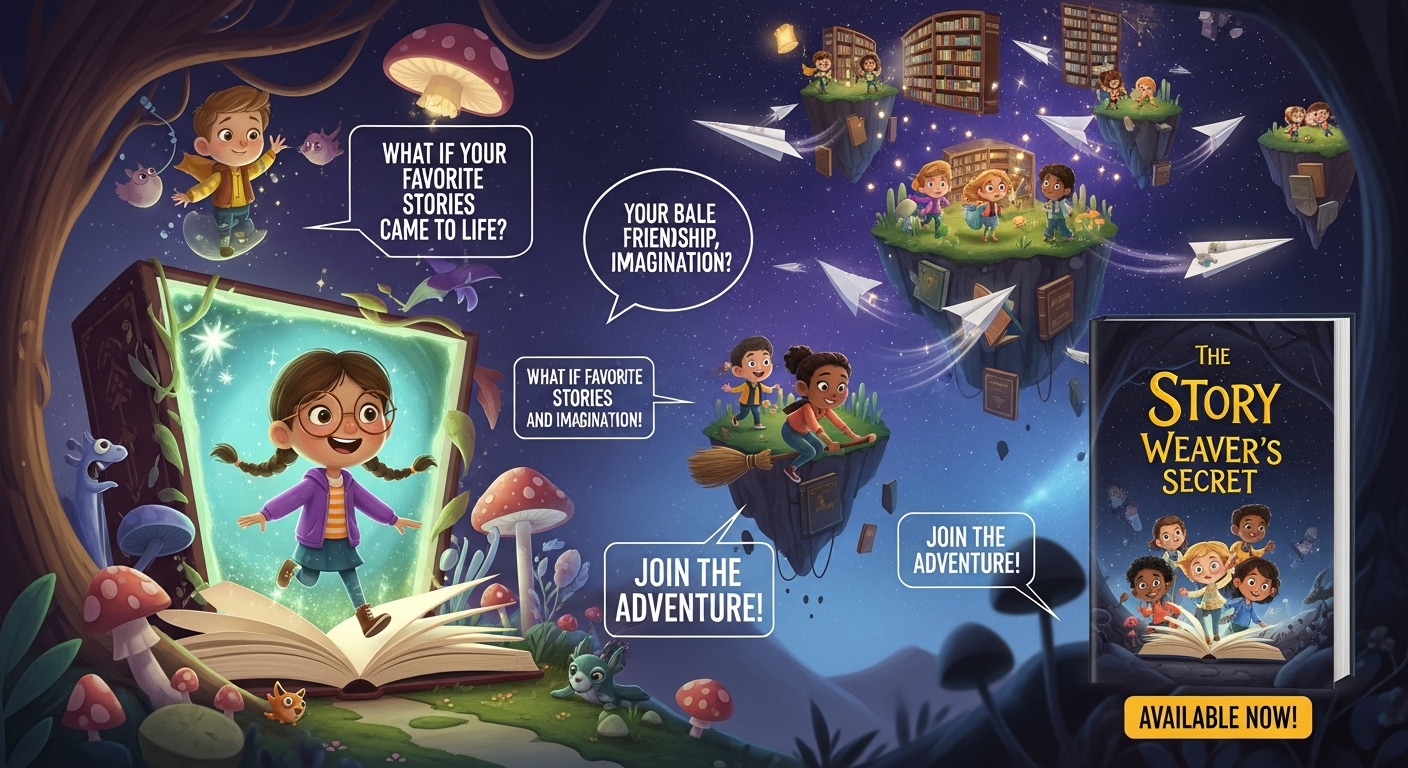
In today’s digital world, children are constantly surrounded by bright visuals, playful animations, catchy music, and fast-paced videos. From YouTube Kids to Instagram Reels and animated story clips, young readers are drawn to content that moves, sparkles, and tells a story quickly. For authors, illustrators, teachers, and parents, this makes a children’s book trailer one of the most effective ways to showcase a story and capture attention.
A book trailer does more than just advertise your book—it brings your story to life. Unlike text-only descriptions, a trailer allows kids to see the characters, hear the story come alive, and experience the magic of your world. It’s a mini cinematic adventure that builds excitement, creates emotional connection, and helps parents, teachers, and librarians instantly understand the value of your book.
Creating a kids’ book trailer doesn’t have to be complicated. With the right approach, even beginners can craft professional-looking videos that are colorful, playful, and highly engaging. This guide will walk you step-by-step through the entire process, including:
Popular trailer styles
-
Popular trailer styles for children’s books
-
How to write a script for an introduction video that hooks young viewers immediately
-
Preparing and optimizing visual assets, animations, and sound
-
Adding magical music and playful sound effects
By the end, you’ll have all the tools you need to create a visually stunning, kid-friendly, and shareable book trailer that amplifies your children’s book marketing.
Let’s dive in—and turn your story into a mini cinematic adventure!
Why Make a Book Trailer for Kids?
Before we jump into how to create a children’s book trailer, it’s important to understand the why. Once you see how impactful a trailer can be, the creative process becomes even more exciting.
Kids Are Highly Visual Learners
Children respond strongly to images, animation, color, sound, and movement. A kids’ book trailer instantly gives them a connection to your characters and world—far more quickly than a text blurb.
Parents Make the Purchasing Decisions
A one-minute video helps parents instantly understand the message, values, and tone of your children’s book. A great trailer builds trust and boosts conversions.
Teachers and Librarians Love Multimedia Content
Schools often use trailers to introduce new books in classrooms. A high-quality book trailer for kids increases your chances of being added to reading lists, school libraries, and literacy programs.
Trailers Build Excitement
Kids love anticipation—especially when characters come to life through motion and sound.
What Makes a Great Kids’ Book Trailer?
Before learning how to make a book trailer for kids, let’s break down what actually makes a children’s trailer effective—and magical.
- Visuals That Capture Imagination
Kids love:
- Bright colors
- Playful characters
- Fun animations
- Moving elements
- Cartoon-like transitions
Even simple movements like zoom-ins, bounce effects, or slide-ins can transform still illustrations into an engaging experience.
- A Clear, Kid-Friendly Script
Your script is the heart of your trailer. Whether you’re writing a script for an introduction video or a story teaser, your narration should be:
- Simple
- Fun
- Easy to follow
- Emotional or playful
- Short
Short sentences and rhythmic language help hold a child’s attention.
- Magical Music and Sound Effects
Music plays a major role in children’s content. Kids react instantly to:
- Sparkles
- Pops
- Whooshes
- Chimes
- Light rhythmic beats
Sound effects add charm and make characters feel alive.
When these three elements—visuals, script, and sound—work together, your trailer becomes more than a preview. It becomes an experience.
Step-by-Step Guide: How to Make a Book Trailer for Kids
This section gives you a simple, foolproof roadmap to create a children’s book trailer with confidence—even if you’re a complete beginner.
Step 1: Understand What Makes a Kids’ Book Trailer Unique
A trailer for young readers is very different from a book trailer made for teens or adults. Kids need something shorter, simpler, and more visually stimulating.
Key Differences:
| Kids’ Book Trailers | Adult/General Trailers |
| Bright colors | Neutral tones |
| 20–45 seconds | 1–2 minutes |
| Simple storytelling | Complex plot hints |
| Playful music | Dramatic music |
| Light animations | Cinematic transitions |
The goal: instant engagement + clear story introduction.
Step 2: Choose the Style of Kids’ Book Trailer You Want
Picking a trailer style helps you plan the visuals, pacing, and script.
Popular Trailer Types for Children’s Books
| Trailer Type | Description | Key Features | Best For |
| Animated Character Trailer | Characters move or bounce | Animations, text bubbles, stars, clouds, cartoon effects | Picture books, fantasy |
| Read-Aloud Trailer | Pages shown while narrator reads | Highlighted pages, soft narration | Bedtime stories, educational books |
| Story Preview Trailer | Like a movie trailer | Characters, world-building, conflict | Adventure-driven stories |
| Teacher-Friendly Educational Trailer | Focused on learning | Fun facts, teaching points | Informative or STEM children’s books |
| Mixed Media Trailer | Combination of illustrations, motion, and sound | Illustrations + animations + SFX + text | Any style or genre |
Choose the format that fits your story’s mood.
Step 3: Write a Simple, Fun Script
A strong script sets the emotional tone of your trailer. It should be:
- Short
- Fun
- Easy to understand
- Full of imagination
Simple Script Formula:
- Introduce the main character
- Introduce the world
- Present the problem or adventure
- Add excitement
- End with a call to action
Kids’ Book Trailer Script Example:
“Meet Benny, the little bear with the biggest imagination!
Join him in the magical Forest of Whispers…
where he must find the missing honey before the festival begins!
Filled with surprises, new friends, and silly mishaps…
Benny’s adventure is waiting for YOU! Get your copy today!”
Step 4: Prepare Your Visual Assets
Here is an upgraded, polished table of the visual elements you’ll need:
Visual Assets for a Kids’ Book Trailer
| Asset Type | Description / Tips |
| Book Cover | Use a high-resolution, vibrant cover to capture attention instantly. |
| Illustrated Pages | Choose 4–8 pages showing key scenes or emotional moments. |
| Character Art | Include illustrations or sketches of main characters. |
| Backgrounds or Scenes | Great for transitions or simple animations. |
| Stickers, Icons & Shapes | Stars, clouds, sparkles, animals—kids are drawn to playful visuals. |
Step 5: Choose Magical, Kid-Friendly Music
Music determines your trailer’s emotional tone.
Choose music that is:
- Cheerful
- Magical
- Whimsical
- Soft
- Playful
Where to Find Kid-Friendly Audio:
- YouTube Audio Library
- StoryBlocks
- Envato Elements
- Adobe Stock Audio
- Epidemic Sound
Always check licensing for commercial use.
Step 6: Decide Whether You Want a Voiceover
A voiceover adds warmth and personality.
Your Voiceover Options:
- Child narrator — relatable and fun
- Warm adult narrator — perfect for younger kids
- Teacher-style narrator — great for educational content
- No narrator (text only) — works well for fast-paced trailers
- Choose the option that fits your book’s vibe.
Step 7: Edit Your Kids’ Book Trailer (Simple & Clear)
Editing is where your kids’ book trailer starts to feel magical. You can use beginner-friendly tools like Canva, CapCut, iMovie, Adobe Express, or Filmora. If you want a more advanced look, tools like Premiere Pro, Final Cut Pro, and DaVinci Resolve offer professional options.
Step 8: Keep It Short and Exciting
When creating a book trailer for kids, brevity and energy are your biggest strengths. Children have short attention spans, so your trailer must grab their interest immediately and keep the momentum strong throughout.
The most effective kids’ book trailers are:
- 20–45 seconds long — just enough time to introduce the hero, the setting, and the adventure without dragging.
- Fast-paced — scenes should move quickly, with smooth transitions and lively animations.
- Full of movement — zooms, slides, bounces, and character motions help hold a child’s attention.
- Exciting from the very first second — start with a fun visual, a dramatic moment, or a colorful character introduction.
If your trailer runs too long or starts too slowly, kids will tune out almost immediately. Keep it short, punchy, and packed with energy so young viewers stay engaged all the way to the call-to-action.
Step 9: Optimize Your Trailer for SEO
If you want your trailer to rank on YouTube and Google, SEO matters.
Best Keywords to Include:
- kids’ book trailer
- children’s book trailer
- book trailer for kids
- how to make a book trailer for kids
- picture book trailer
- read-aloud trailer
SEO Title Example:
Kids’ Book Trailer | How Benny the Bear Saves the Forest | Children’s Story Trailer
SEO Description Example:
“Watch this colorful and magical children’s book trailer about Benny the Bear! Perfect for ages 4–8, this kids’ book trailer brings the story to life with animations, playful sound effects, and adorable illustrations.”
Tags:
- kids book trailer
- children’s book animation
- picture book trailer
- read aloud video
- book trailer for classrooms
Step 10: Share Your Trailer Everywhere
Your trailer becomes powerful when people see it.
Where to Share Your Children’s Book Trailer:
- YouTube
- TikTok
- Instagram Reels
- Facebook Groups
- Author website
- Amazon A+ Content
- School newsletters
- Classroom presentations
- Book launch events
Each platform expands your reach to parents, teachers, and kids.
How to Edit Your Trailer (Quick Steps)
Import your images
Add your book cover, character art, and scene illustrations to the timeline. Use high-quality visuals.
Add simple movement
Use gentle zoom-ins, slide-ins, or bounce effects. Kids love motion, but keep it simple.
Insert kid-friendly text
Add short, bright, bold lines like “Meet Luna the Explorer!” Use big fonts and vibrant colors.
Add the right music
Choose cheerful, magical, or gentle background music that matches your story’s tone.
Add playful sound effects
Little sounds like pop, whoosh, or sparkle make your trailer more fun and engaging.
End with a call to action
Show your book cover and add a final line like “Get your copy today!” or “Join the adventure!”
When to Hire a Professional Video Book Trailer Service
Even though you can make a trailer yourself, a professional video book trailer service can help when you need:
- Advanced animation
- High-quality voiceover
- Custom character movement
- Cinematic storytelling
- Ads or marketing campaigns
Many authors use a hybrid approach: DIY for social media + professional trailer for ads.
Here is the expanded, polished version of your section — more descriptive, more engaging, and blog-ready:
Final Tips for Making a Book Trailer for Kids
Creating a book trailer for children requires a playful, high-energy approach that keeps young viewers entertained from the very first frame. Below are some expanded best practices to help you craft a trailer that feels magical, engaging, and perfectly designed for a young audience:
Use Bright, Colorful Visuals
Children are naturally drawn to bold, vibrant imagery. Use rich, high-contrast colors, illustrated scenes, and lively character art to instantly grab their attention. Avoid dull or muted palettes—kids lose interest quickly if the visuals don’t pop.
Keep Text Large And Simple
Young readers—or pre-readers—need text that’s extremely easy to read. Use large, bold fonts with short phrases and simple vocabulary. Think 3–5 words per frame, maximum. The goal is for children to understand the message instantly without feeling overwhelmed.
Make Characters Come Alive With Movement
Static images won’t hold kids for long. Bring your characters to life with small animations: bouncing, waving, blinking, sliding, zooming, or floating. Even subtle motion can make your trailer feel magical and interactive, keeping kids delighted from scene to scene.
Add Playful Sound Effects
Fun audio elements—like whooshes, sparkles, animal sounds, or soft chimes—enhance the trailer’s atmosphere and keep children engaged. Kids respond strongly to sound cues, so use them to match the action on screen and emphasize important moments.
Use Sparkles, Stars, And Fun Shapes
Graphic elements like stars, clouds, sparkles, hearts, or bubbles help create a whimsical, kid-friendly aesthetic. These accents also help guide children’s attention toward important text, characters, or transitions.
Test Your Trailer with Actual Kids
Children are the most honest audience members—and the best testers. If they lose interest, it’s a sign the trailer needs to be shorter, more colorful, or more dynamic. Use their reactions as feedback to fine-tune pacing, visuals, and audio.
Conclusion: Making a Children’s Book Trailer Is Easier Than You Think
Now you know exactly how to make a book trailer for kids—from developing your script and choosing your visuals to editing, adding sound, optimizing for SEO, and promoting it everywhere.
A kids’ book trailer doesn’t have to be complicated. It just needs to be:
- Colorful
- Fun
- Simple
- Short
- Magical
- Full of imagination
Whether you create it yourself or hire a professional, your children’s book trailer can become one of your most powerful storytelling and marketing tools in 2025 and beyond.
Frequently Asked Questions (FAQs) About Kids’ Book Trailers
How long should a children’s book trailer be?
A kids’ book trailer should ideally be 20–45 seconds long. Young viewers have short attention spans, so keep it short, exciting, and visually engaging. Focus on introducing the main character, the story world, and a sense of adventure without overloading details.
Do I need professional animation skills to make a kids’ book trailer?
Not at all! Beginner-friendly tools like Canva, CapCut, iMovie, Adobe Express, or Filmora allow you to create simple animations, motion effects, and transitions. For advanced effects, professional software like Premiere Pro or DaVinci Resolve can be used, but it’s possible to make an engaging trailer with basic skills.
Should I include a voiceover in my book trailer?
A voiceover is optional but recommended for a more personal touch. You can choose a child narrator for relatability, a warm adult voice for storytelling, or text-only slides with playful animations. Pick the style that best matches your book’s tone and audience.
Where can I find kid-friendly music and sound effects?
There are many sources for royalty-free, commercial-use audio:
YouTube Audio Library
- StoryBlocks
- Envato Elements
- Adobe Stock Audio
- Epidemic Sound
Choose cheerful, whimsical, and soft tracks, and add sound effects like sparkles, pops, or whooshes to enhance engagement.
Can book trailers really help sell more books?
Yes! A vibrant, engaging trailer instantly captures attention and helps both kids and parents understand the story’s appeal. Trailers are also shareable across YouTube, social media, school newsletters, and author websites, increasing visibility, excitement, and the likelihood of purchases.



